If you spend time in Battlegrounds Mobile India, you already know how much UC matters inside the game. You use it for outfits, weapon skins, crate openings, emotes, and the premium items that make your character stand out. These upgrades do not affect your skill, but they change the way you feel when you drop into a match.
UC is the main currency for all of this. It gives you access to items that regular battle points never unlock. Many players look at UC as the upgrade path because it shapes your style inside the game.
Sign-in, Play Games & Get Gift Cards
Here’s where Google Play recharge codes come in. You can load balance into your Play Store wallet and then buy UC directly from inside BGMI.
This keeps your payments safe and fast, and in many cases, it reduces extra charges that appear when you pay with cards or wallets. It is one of the simplest and most trusted methods to top up UC without stressing about failed payments or random fees.
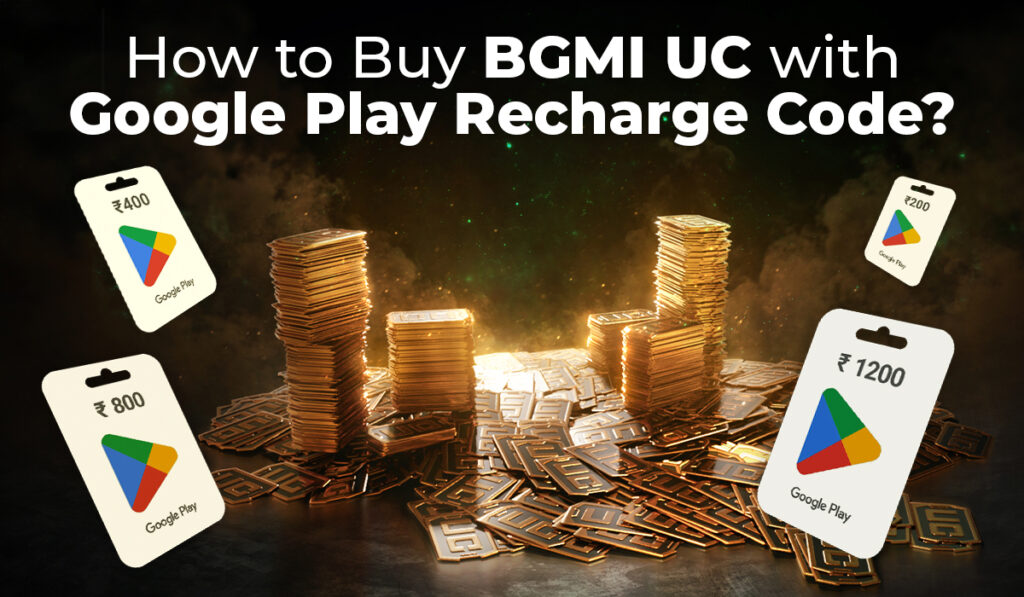
A Google Play Recharge Code works like a prepaid balance for your Google Play account. Instead of using your bank card or UPI every time, you add money to your Play Store wallet through this code and then spend it on apps, games, or BGMI UC.
You can think of it as a digital gift card with a fixed amount already loaded inside.
Here are the basic details:
Format:
A Google Play code usually has a 16-character mix of letters and numbers.
PIN:
Some cards come with an extra PIN printed under a scratch panel, especially when you buy them offline.
Delivery:
If you buy online, the code comes by SMS or email.
If you buy offline, the code is printed on the physical card.
Validity:
Most codes stay valid for around 12 months from the date you buy them.
Once you redeem a valid Google Play code, the balance appears inside your Google account and can be used for apps, games, movies, or BGMI UC. If you are still looking for a code before buying UC, check the Google Play code page for FreeGiftZone reward updates before you move into the BGMI checkout flow.
Why Buy BGMI UC With a Google Play Recharge Code
Many BGMI players prefer using Google Play recharge codes instead of paying directly with cards. The reason is quite clear because this method stays safe, quick, and more controlled.
Here are the benefits you can get:
Safe to use: You don’t connect your debit or credit card anywhere. Your bank details stay completely separate from the game.
Better control on your spending: If you add ₹300 or ₹500 to your Play balance, you can only spend that much. This avoids extra or accidental payments.
You get discounts sometimes: During online sales or festival offers, many websites sell Google Play codes at a lower price. That means you save money before buying UC.
Easy for gifting: If your parents or friends want to support your BGMI purchases, they can simply give you a Play code. No need to send money directly.
Instant balance: After you redeem the code, the Play Store balance updates immediately. Then you can buy UC on the spot.
The point is simple here. A Google Play recharge code keeps your bank details safe and still adds the exact balance you need to buy UC in a secure way.
Steps to Redeem a Google Play Recharge Code
Once you get a Google Play Recharge Code, it is easy as it to redeem the code in the Google Play Store:
Just follow these simple steps to redeem a Google Play Recharge Code on the Google Play Store:
- Open the Google Play Store app on your phone.
- Tap your profile icon in the top corner.
- Go to Payments and subscriptions, then tap Redeem code.
- Enter the 16-digit recharge code shown on your card or email.
- Tap Redeem to add the balance to your Google Play account.
Your Play balance becomes active the moment the code is accepted, and you can use it for BGMI UC right away.
Steps to Buy BGMI UC with Google Play Balance
You can use your Google Play balance inside BGMI once the amount is added to your account. The process stays quick and easy.
- Open the BGMI app on your phone.
- Tap the UC icon at the top of the screen.
- Pick the UC pack you want, such as 60 UC, 300 UC, or 600 UC.
- Tap Buy to move to the checkout page.
- Select Google Play balance as the payment option.
- Confirm the payment on the final screen.
Your UC appears in your BGMI account right away. For example, if your Google Play balance shows ₹500, you can buy 300 UC for ₹380 and still keep ₹120 for future purchases.
Scams to Avoid While Buying UC
You deal with money when you buy UC, so staying alert matters. Here are the things you should keep in mind before you lose your balance or your account.
- You never get UC from BGMI “generator” websites. Every one of them is fake.
- You should ignore random WhatsApp messages that promise free UC. These messages try to trick you.
- Your Google Play login stays private at all times. Do not share it with anyone.
- Trusted platforms are the only safe places to buy recharge codes.
- Unknown emails and SMS messages sometimes display phone numbers. Do not call those numbers.
- Unsafe APK files on third-party sites sometimes claim to give free UC. These files may harm your phone.
- The recharge code you buy must stay valid and unused, so check it before redeeming.
Two-factor authentication adds one more level of safety to your Play Store account, so keep it switched on.
Conclusion
BGMI always feels more fun when your character looks sharp and your loadout feels powerful. A Google Play Recharge Code gives you an easy and safe path to buy UC without pulling out your bank card every time. You stay in control of your spending, you stay protected, and you sometimes enjoy better prices during festival sales.
Your Royale Pass upgrades, your gun skins, and your outfits become much easier to grab when your Google Play balance is ready. You simply add the code, check your balance, and buy the UC you want.
Quick Checklist
- Keep recharge codes limited to trusted platforms only.
- Redeem the code inside the Google Play Store before heading to BGMI.
- Select Google Play balance at checkout when you buy UC.
- Turn on two-factor authentication for better safety.
- Stay away from UC generators, unknown links, and shady APKs.